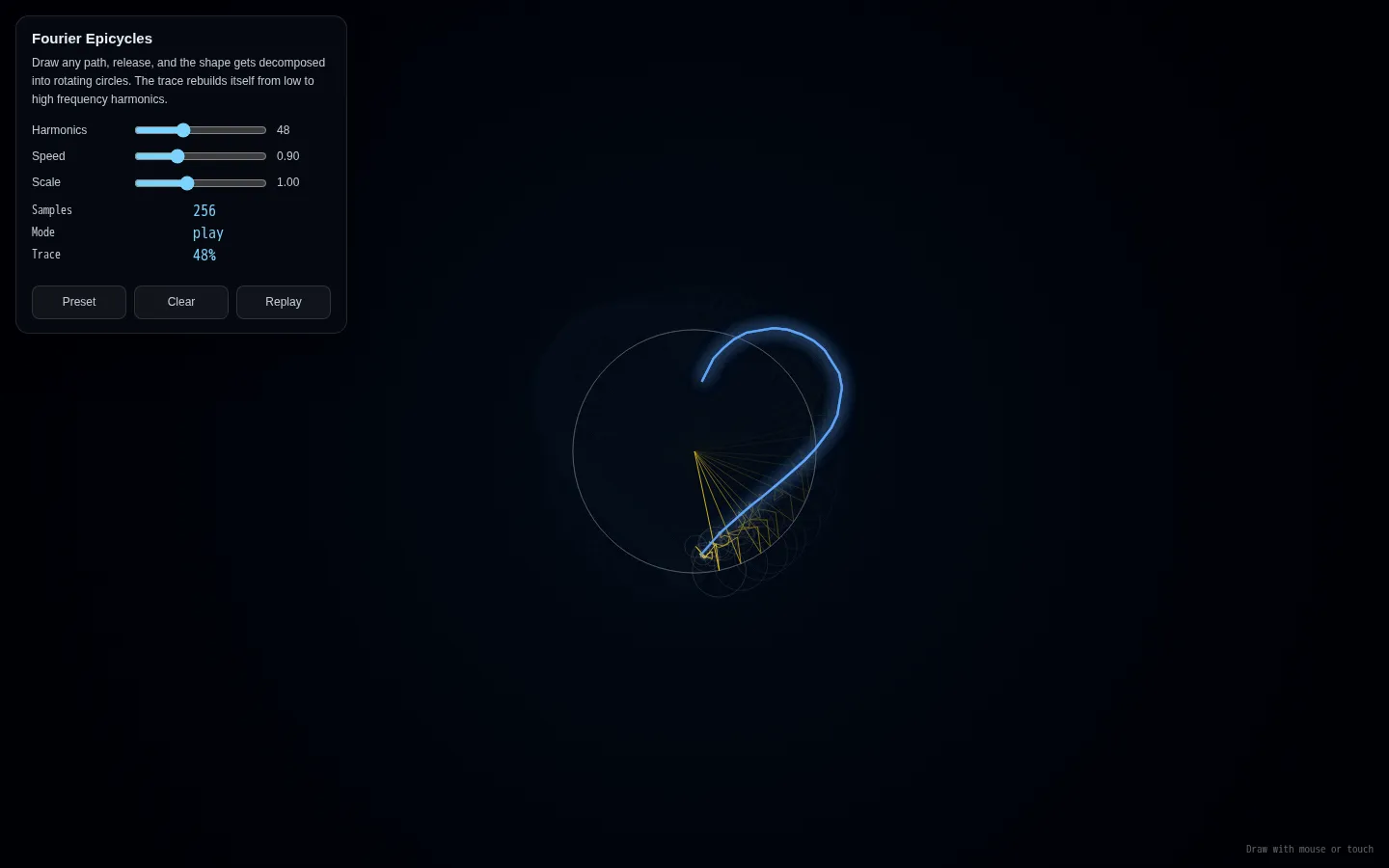
Fourier Epicycles turns a hand-drawn path into a procession of spinning circles whose combined tip retraces the original shape. Adjust how many harmonics join the parade, change its speed or scale, and watch an abstract transform become a legible little machine. A built-in preset gets the circles moving before you draw anything.
What is Fourier Epicycles?
The page begins with a dark full-window canvas and a compact control panel. Draw with a mouse or touch, release, and the stroke is resampled into 256 points before its Fourier components are ranked by amplitude. Those components appear as circles riding on circles; the final point leaves a glowing trace that rebuilds the contour. Harmonics controls how much detail survives, while Speed and Scale change the performance without changing the source stroke. Preset supplies a heart-like sample, Replay starts the tracing cycle over, and Clear hands the canvas back to you. It is less a calculator than a mathematical puppet show with very good choreography.
What you can do there
- Draw a contour with a mouse or touch
- Watch rotating circles rebuild the drawing
- Adjust harmonic count, speed, and scale
- Load the preset, replay, or clear the canvas
Why we picked it
Fourier series often arrive wrapped in notation. This demo begins with a doodle and lets the circles make the argument. Lower the harmonic count and the shape loses its small bends; raise it and the rotating chain earns them back. That visible trade between compact ingredients and recognizable form is the kind of explanation a web page can deliver in seconds.
How to get the most from it
Try the preset first and drag the Harmonics slider down to four, then raise it gradually to see detail return. Clear the canvas and draw one continuous outline with broad curves; a tidy stroke gives the transform an easier route to follow. Use Replay after changing speed or scale so the trace starts cleanly from the beginning.
Good to know
The circles and trace animate continuously, and the source does not document a pause or reduced-motion mode. Mouse and touch drawing are built in, but no keyboard drawing alternative is documented. The demo is free, silent, self-contained, and licensed with the wider creative-lab project under MIT. It does not save or export drawings and is a visual teaching toy rather than a formal proof.
Who made it, and when?
Yuzhe Shi is the credited creator or organization.
Creator’s official page Open Fourier EpicyclesMore like this
Nicky Case

Playable explanations about trust, systems, anxiety, networks, and the way people affect one another.
The Illustrated TLS Connection

TLS, unpacked until the handshake has nowhere left to hide.
Learn Git Branching

Git’s family tree, finally allowed to move while you poke it.
How DNS Works

A DNS lesson that takes the scenic route through the internet