
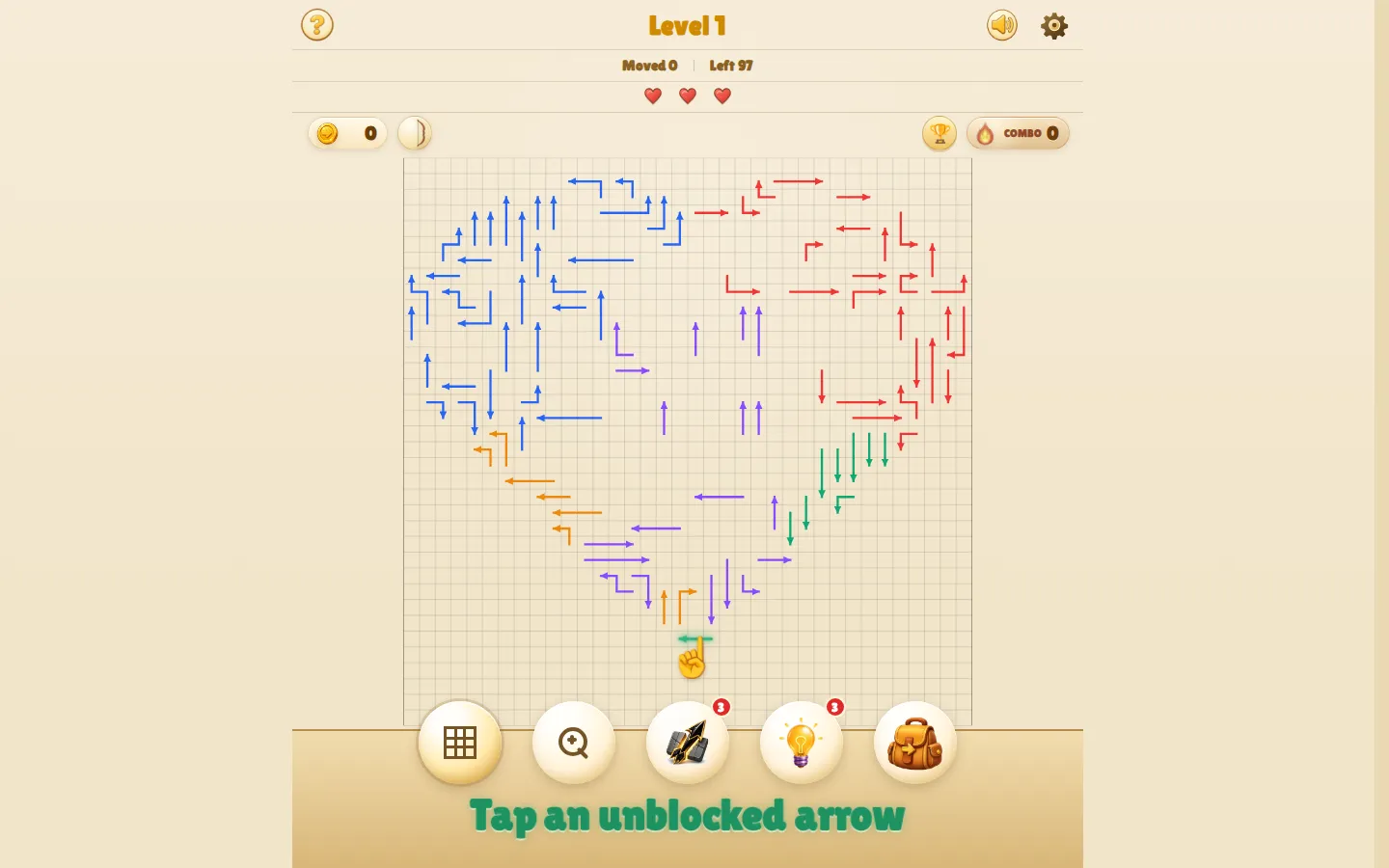
Arrow Game turns a crowded board into a removal-order puzzle: tap only the arrows with a clear path to the edge, then use each opening to free the next lane. The free browser game layers hearts, combos, coins, items, upgrades, 1,000 campaign levels, and a daily boss onto that tidy rule.
What is arrowgame.app?
Every arrow tells you exactly where it wants to go; the trick is noticing what stands in its way. A safe removal opens fresh rows and columns, while a blocked choice costs a heart and snaps the combo. That makes even a simple board feel like a small traffic-control problem. The campaign adds gifts, hints, shields, stronger one-shot arrows, upgradeable skills, and shuffled run order, so there is more here than a stack of isolated puzzles. A daily boss and leaderboard provide return hooks, though the full live progression was not executed during this review.
What you can do there
- Trace each arrow's exit path
- Remove arrows in a safe order
- Build combos and spend coins on upgrades
- Attempt a daily boss challenge
Why we picked it
The clear-lane rule is readable at a glance and creates a satisfying chain reaction without trivia or elaborate setup. The substantial campaign gives quick-session players somewhere to wander, while independent notes confirm both the appeal and the early friction of losing hearts for blocked taps.
How to get the most from it
Scan the outer edges first, but trace each arrow's entire row or column before tapping. After a piece leaves, rescan that lane immediately. Save hints and the Unstoppable Arrow for dense shapes instead of spending them on an opening board.
Good to know
No account or download is required, and the official guide supports mouse, trackpad, and touch play. Progress is stored locally. Daily results and optional leaderboard scores send limited identifiers and results to the site; Google Analytics runs, AdSense may appear, and one player reported a PC input issue. Arrow sounds can reportedly be disabled in settings.
Open arrowgame.appMore like this
The Library of Babel

Search an imaginary library that contains every possible page of a fixed length—including this sentence somewhere.
FutureMe

Write an email to yourself and choose a date far enough away to make it meaningful.
Wowfold

A paper-plane hangar stocked with darts, gliders, and expert oddballs
Arcane Intern

A magical publishing internship where coffee runs come with sigils.